SSD Upgrades in Magnolia and The Woodlands
Three minutes from the power button to a usable desktop. The spinning blue circle every time you open a folder. Word taking half a minute to launch. A machine that was fine four years ago and now makes you dread turning it on.
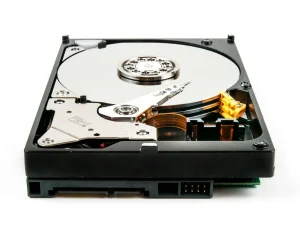
If that’s your computer, it almost certainly still has a mechanical hard drive: a spinning platter with a physical arm reading it. Replacing it with a solid state drive is the single biggest speed improvement available to an older computer, and it usually costs a fraction of replacing the machine.
Boot times typically go from two or three minutes to under twenty seconds. People describe it as getting a new computer, which is roughly accurate, because the drive was the bottleneck the whole time.
Check whether the drive is actually your problem
Before you spend anything, confirm the diagnosis. On Windows, press Ctrl+Shift+Esc to open Task Manager and click the Performance tab.
- Disk sitting at or near 100% while the computer crawls: that’s the mechanical drive maxed out, and an SSD fixes it.
- Memory at 90% or higher with the disk idle: you’re short on RAM, not drive speed. A memory upgrade is the cheaper fix.
- CPU pinned at 100% with nothing obvious running: that’s often malware, and no hardware upgrade will help until it’s cleaned out.
Not sure what you’re looking at? Call and describe it. I’d rather spend five minutes on the phone than sell you the wrong part.
When an SSD is the wrong answer
It isn’t always the right call, and you should hear that from me rather than find out afterward.
- You already have one. Plenty of machines from the last six or seven years shipped with an SSD. If yours did and it’s still slow, something else is going on.
- The machine has other problems. A failing battery, a cracked hinge, and a dying fan on a nine-year-old laptop means you’re putting good money into a machine that’s going anyway.
- It’s short on memory. 4GB of RAM will feel slow on Windows 11 no matter how fast the drive is. Sometimes the answer is both, sometimes it’s just the RAM.
What actually happens to your files
This is the part people worry about, so here’s the plain version.
I clone the old drive to the new one. Everything comes across: Windows, your programs, your documents, your photos, your browser bookmarks, your desktop wallpaper, the shortcuts exactly where you left them. You get the machine back and it looks identical. It just works at a completely different speed.
You don’t reinstall anything. You don’t re-enter license keys. You don’t have to remember which programs you had.
You keep the old drive. I hand it back to you when you pick up the machine. It’s a complete copy of everything as it was, which makes a reasonable emergency backup. If you’d rather I dispose of it, I wipe it first.
One honest caveat: if the old drive is already failing, cloning gets harder and sometimes isn’t possible. Clicking, grinding, files that won’t open, or a machine that freezes at random are all signs. If you’re hearing or seeing any of that, stop using the computer and call me. Every hour it runs is a chance to lose something.
SATA or NVMe
There are two kinds, and which one your computer takes depends on the machine.
SATA drives fit essentially everything, including older laptops and desktops. They’re the affordable option and they’re still a night and day difference from a mechanical drive.
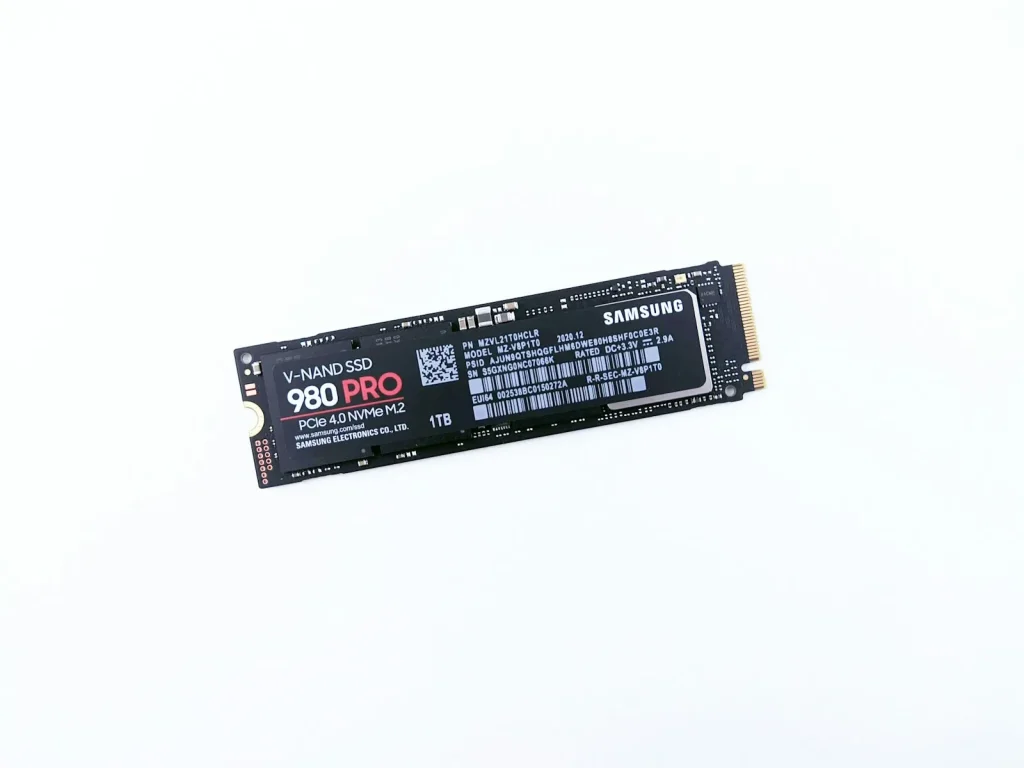
NVMe drives are considerably faster again, but need a compatible slot on the motherboard. Newer machines have one; older ones don’t.
Worth being honest about this: for normal use (email, browsing, documents, photos) you won’t notice the difference between the two. Both make the computer feel instant. NVMe matters for video editing, large files, and gaming load times. I’ll tell you which your machine takes and whether paying for the faster one is worth it for what you actually do.
If you’re still on Windows 10
Microsoft ended support for Windows 10 in October 2025. Security updates now come only through Microsoft’s Extended Security Updates program, which home users have to sign up for and which runs until October 12, 2027. That matters more than most people realize for a machine that does online banking.
A lot of computers in that position are perfectly capable of running Windows 11. They just have a slow drive making them feel obsolete. If that’s yours, an SSD upgrade and a Windows 11 install together are usually cheaper than a new machine and leave you with something that feels newer than one.
I’ll check whether your computer qualifies before you commit to anything. Some genuinely don’t, and I’ll say so.
Out of space? A larger SSD, or a second drive
If Windows keeps warning you that the disk is full, speed isn’t the problem. Room is. There are two ways to fix that, and which one fits depends on the computer.
A larger SSD. Most laptops only have room for one drive, so the fix is swapping the current drive for a bigger one. I clone everything across the same way I do for a speed upgrade, so you get your machine back looking exactly as you left it, just with plenty of room. Going from 256GB to 1TB is a common jump.
A second drive in a desktop. Most desktop towers have space and connections for more than one drive. I leave your current drive in place for Windows and your programs, then add a second one for photos, videos, music, and games. Nothing on the original drive has to move unless you want it to, and I can set your Documents and Pictures folders to save to the new drive automatically.
Some laptops have a spare slot for a second drive too, especially larger gaming laptops. I’ll check yours before recommending anything.
Before buying any drive, it’s worth seeing what’s filling the one you have. Old downloads, duplicate photo backups, and leftover Windows update files can take up a surprising amount of space. If a cleanup is all you need, I’ll tell you.
How long it takes
Most SSD upgrades are same-day or next-day, depending on the size of the drive being cloned and how busy I am. Large drives take longer to copy. It’s the copying that takes the time, not the install.
I’ll give you a realistic timeframe when you drop it off, not an optimistic one.
How pricing works
I quote before I start. Once I know which drive your machine takes and how much data is coming across, you get a number, not an hourly rate that runs until the job’s done.
If I find something that changes that number, I stop and call you. No surprise invoice at pickup.
The diagnostic fee is applied to your final bill if you go ahead with the work. If you decide not to, you’ve still paid for a straight answer about what’s wrong, and you’re free to take it anywhere.
Get it done
I serve Magnolia, The Woodlands, Conroe, Montgomery, Spring, Tomball, Woodforest, Lake Windcrest, and Westwood. Drop-off, or I’ll come to you.
Nearby but not listed? Give me a call.
Call (346) 291-7330, or send me a message and I’ll get back to you within 24 hours.