Laptop Battery Replacement in Magnolia & The Woodlands
Does your laptop die an hour after you unplug it, when it used to last all afternoon? Or does it only run while it’s plugged in? Batteries wear out. Each one is good for a limited number of charge cycles, and after a few years most hold a fraction of what they did when new. Often a new battery is all an otherwise healthy laptop needs. Call (346) 291-7330 and tell me the make and model.
The kinds of laptop batteries
Laptops have used a few different kinds of batteries over the years, and the kind yours has decides how the job goes.
- Removable battery packs (older laptops): Most laptops from the 2000s through the early 2010s have a battery that slides or unlatches from the bottom or back. Inside is a row of round lithium-ion cells. These are the simplest to replace, and replacements are still made for many older models.
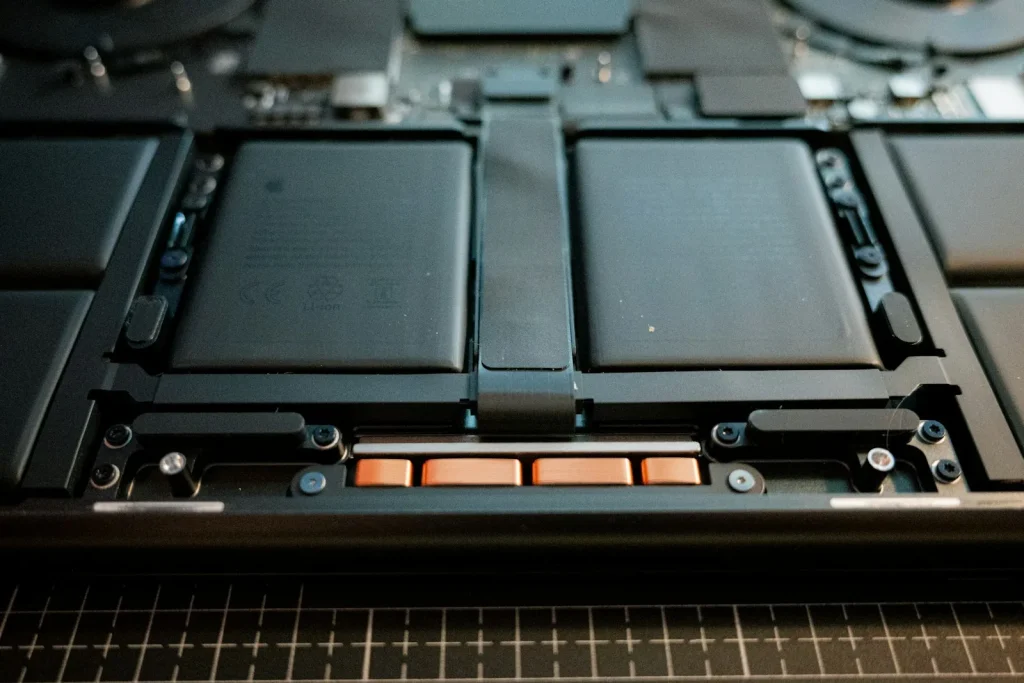
- Internal batteries (most newer laptops): Since the mid-2010s, nearly every laptop has a flat lithium-polymer battery sealed inside the case. Reaching it means removing the bottom panel, and on some thin models the battery is glued in. It isn’t a job for a butter knife, but it’s routine work here.
- Nickel batteries (NiCd and NiMH, 1990s laptops): These are rare now and replacements are hard to find. If you have one of these machines and need it running, call and I’ll see what’s possible.
- The coin battery on the motherboard: Laptops and desktops both have a small coin battery, usually a CR2032, that keeps the clock and settings while the power is off. If your computer keeps forgetting the date and time, that little battery is often why.
Signs your battery needs attention
- It runs for much less time than it used to
- It drops from 40% to empty, or shuts off without warning
- It won’t charge past a certain point, or says “plugged in, not charging”
- Windows or macOS says the battery needs service
- The case is bulging, the trackpad is pushed up, or the bottom panel won’t sit flat
That last one matters. A swollen battery is a failing battery, and it can be a fire hazard. Stop using the laptop, leave it unplugged, and call me. Don’t try to press the case back together.
Check the battery yourself
On Windows, search for Command Prompt, open it, type powercfg /batteryreport, and press Enter. It saves a report comparing what the battery holds now with what it held when new. If the full charge capacity is well below the design capacity, the battery is worn out.
On a Mac, open System Settings, click Battery, and check Battery Health.
Original or aftermarket
I’ll tell you what’s available for your model. Sometimes the manufacturer’s own battery is the best choice, and sometimes a quality aftermarket battery is. I stay away from the cheapest no-name batteries, because a battery is the wrong place to cut corners.
When a battery isn’t worth it
If the laptop also has a cracked screen, a loose hinge, and a slow hard drive, a new battery may just be good money after bad. You’ll hear that from me before you spend anything. See laptop repair and computer upgrades for the bigger picture.
Areas served
Magnolia, The Woodlands, Conroe, Montgomery, Spring, Tomball, Woodforest, Lake Windcrest, and Westwood.
Nearby but not listed? Give me a call.
Call (346) 291-7330 or send a message and I’ll get back to you within 24 hours.