Ten Windows Updates That Went Wrong
Most Windows updates install quietly. These ten didn’t. They’re not the only bad updates Microsoft ever shipped, but they’re the ones that caused the most trouble for home and business users, and each one taught a lesson that still applies.
- Windows XP Service Pack 3 (2008): endless reboot loops on some AMD-based PCs.
- Windows Vista Service Pack 1 (2008): installs that failed or left PCs unstable because of incompatible drivers.
- Windows 7 Service Pack 1 (2011): a 0xc0000034 error that left some computers unable to start after installing.
- Windows 8.1 Update (2014): widespread installation failures that forced Microsoft to reissue the update.
- Windows 10 version 1809 (2018): deleted files in Documents and Pictures for some users. Microsoft paused the rollout.
- Windows 10 version 2004 (2020): blue-screen crashes tied to certain drivers and hardware; Microsoft blocked it on affected PCs.
- Windows 10 KB5000842 and KB5001330 (2021): stuttering and frame drops in games, fixed with Known Issue Rollback.
- Windows 11 first release (2021): slower performance on some AMD Ryzen processors until patches arrived.
- Windows 11 KB5012643 (2022): problems starting some PCs in Safe Mode.
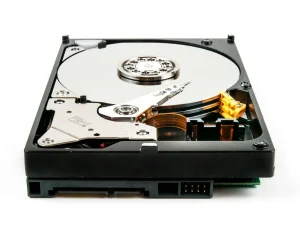
- Windows 11 August 2025 updates (KB5063878): reports of SSDs disappearing or failing spread quickly. Microsoft and SSD maker Phison investigated and found no link to the update. It’s a reminder to check the facts before blaming, or uninstalling, an update.
What these have in common
Almost every one hurt most when there was no backup, or when someone forced an update their PC wasn’t ready for.
- Keep a current backup, especially before a big feature update.
- If Windows Update says an update isn’t ready for your device, wait.
- When an update causes trouble, check whether Microsoft has already acknowledged and fixed it before uninstalling anything.
Still on Windows 10?
Support ended October 14, 2025. Home users can get security updates through Extended Security Updates until October 12, 2027. See Windows 10’s biggest update failures for your options, or call (346) 291-7330.
Read the rest of the series
- Early Windows Update Disasters: XP, Vista and 7
- Windows 8.1 Update Troubles
- Windows 10’s Biggest Update Failures
- Windows 11 Challenges and Microsoft’s Response
Need help?
Call (346) 291-7330 or send a message. See also Windows PC Repair.